Your child's iPhone is
not set up correctly
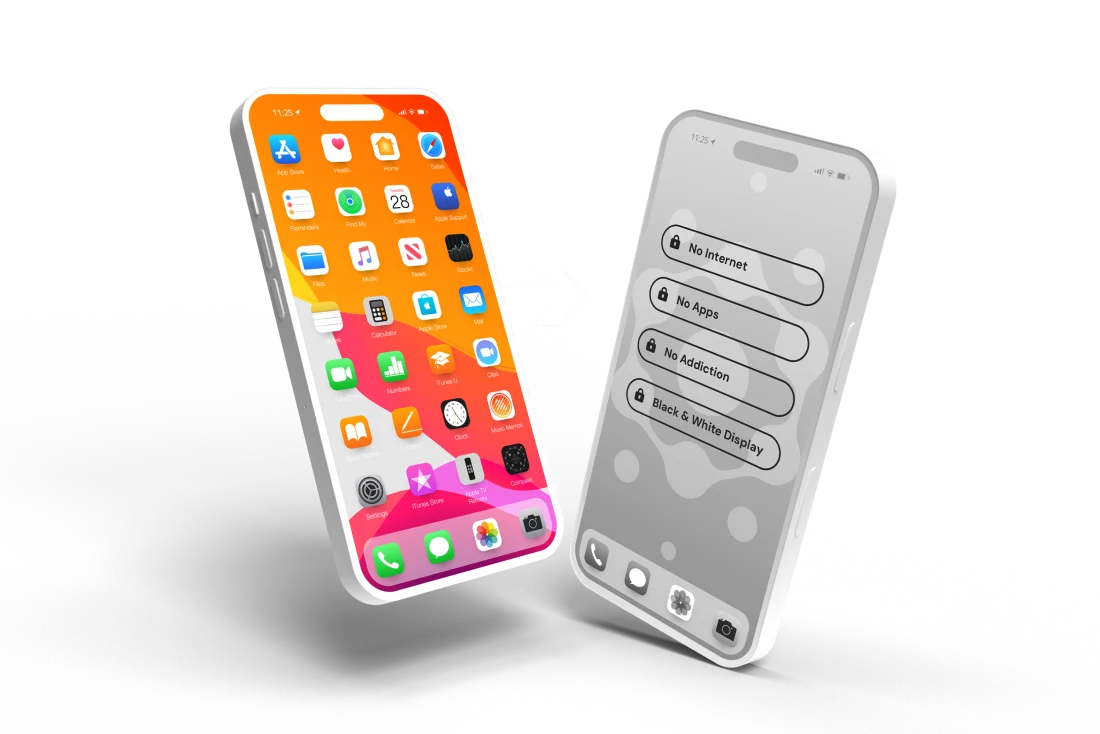
Apple built the iPhone for adults. Your child's iPhone came configured the same way. 23 settings need to change. One afternoon is all it takes. Every day you wait, your child's phone stays exposed. Lock down contacts and app installs for free.
iPhone Parental Controls Masterclass
"I followed the Masterclass and had the iPhone set up in about 90 minutes. We're now confident that our daughter is protected."
— Colby, dad of a 13-year-old daughter
2021–2023 (NCMEC)
IN THE UNITED STATES
PORNOGRAPHY EXPOSURE
YOUTH SUICIDE HAS TRIPLED SINCE 2007
"The iPhone is not built for kids. It's built for adults and then kids' settings are duct-taped on the side."
— Ben Gillenwater, Family IT Guy · Washington Post, November 17, 2025
Every one of these risks reaches your child through apps. Apps that are active by default on every new iPhone.
These are the defaults on every iPhone. None of them protect your child.
Apple ships every iPhone this way. Your child's included.
Apple doesn't show this screen at setup. There's no warning. No default review. You're handed the phone and wished good luck.
You set up Screen Time. It covers one layer.
Screen Time's content filter only works in Safari. Any app with a built-in browser (Snapchat, Discord, Gmail) bypasses it completely, no passcode needed. Screen Time tracks how long your child used Instagram. It cannot show who messaged them.
And Communication Limits, the setting designed to control who can reach your child, has a documented gap: your child meets someone in Roblox, adds them as a contact, and Communication Limits treats that person as approved. No notification. No approval step. You'd never know.
Screen Time was never designed to be the complete answer. Apple has four layers of protection that all need to be configured:
-
01
Screen TimeTime limits and scheduled downtime. The content filter applies to Safari only.
-
02
Content & Privacy RestrictionsBlocks explicit content, restricts app downloads, controls what your child can change. Off by default. Requires separate activation.
-
03
Communication LimitsControls who can call, text, and FaceTime your child. Has a documented loophole: strangers who make first contact can be added to contacts, lifting the restriction.
-
04
Family SharingLinks your child's device to your account so you can manage the other three remotely. Without it, parental controls are device-only.
Get one wrong and the others are essentially decorative.
Most parents have touched one of these. The Masterclass covers all four, including the specific settings within each that close the gaps Screen Time leaves open.
Even the cybersecurity expert got it wrong.
Ben Gillenwater — Family IT Guy
I used to focus on national security. Now I focus on family security.
Ben spent 30 years protecting systems for the Department of Defense and working with organizations like the NSA. He built global-scale security infrastructure. Then he became a dad and gave his young son an iPad loaded with apps he'd chosen himself. Days later, he found inappropriate content.
He spent months mapping every iPhone setting, testing combinations, identifying what actually closes each gap, and sequencing it so a parent without his background could configure all 23 settings correctly in a single afternoon. That work became the Masterclass.
"I'm a dad in the same trenches you're in. I happen to have 30 years of cybersecurity experience to bring to the fight."
6 modules. 21 sections. One afternoon to complete.
Every setting explained. A reference you'll return to for years.
-
01Apple Account SetupThe foundation. Set up your child's Apple ID correctly before any other setting. Most parents skip this step. It undermines every restriction they configure later.
-
02Screen Time & RestrictionsNot just time limits. The settings inside Screen Time that control communication vectors, app categories, and content access, locked with your passcode so your child can't override them.
-
03Content & Privacy RestrictionsThe filter layer. Blocks explicit content, mature apps, adult websites, and unfiltered search results. Works alongside Screen Time to close gaps neither covers alone.
-
04Communication LimitsWho can contact your child, when, and how. Stops stranger contact at the OS level, built into iOS itself, not dependent on any third-party app.
-
05Built-In App ControlsSafari, FaceTime, iMessage, and the App Store are each a distinct risk vector at factory default. This module covers all of them.
-
06The Gate SystemThe settings you configure today need to evolve as your child gets older. The Gate System is Family IT Guy's framework for doing that correctly: when to add access, when to hold the line, and how to make those decisions without guessing.Family IT Guy original methodology · Exclusive to this Masterclass
"Rules expire. Skills don't."
The Masterclass doesn't just tell you what to turn on. It gives you a repeatable system for staying ahead of your child's phone as they grow.
Get the Masterclass"We're just very confident now that she's safe with her phone and this new and evolving technology. Things we didn't even know were available just from the standard iPhone."COLBY // DAD
"I didn't know this was possible. It has dramatically changed my worry. My child uses the phone a lot less now. It no longer feels like that addictive, mesmerizing, can't-put-it-down device."KRISTIN // MOM
"I'm not tech savvy and it was very doable for me."SANDY // MOM
"Parents today simply don't have the time or the know-how to make sure their kids' phones are safe. It should not require a carefully curated 90-page document to make an iPhone safe for a child. Apple should configure it that way out of the box."ROB // DAD
Straight answers.
- Android users
- Parents who want a monitoring app to handle it for them
- Parents who think Screen Time is sufficient
- Parents willing to trust Apple's defaults
- Parents who just handed their child an iPhone and felt that sinking feeling
- Parents who set up Screen Time but aren't confident it's actually working
- Parents who've Googled this for hours without a clear answer
- Parents who want to understand every setting, not just toggle them
- Web-based course: work through each module in your browser, step by step, with a validation check after every setting so you know it worked
- 6 modules. 21 sections. Complete iPhone setup.
- Step-by-step instructions and screenshots for every setting, with a confirmation check after each one
- The Gate System: Family IT Guy's framework for evolving access as your child grows
- Lifetime access, self-paced
Less than a family pizza night. One afternoon to complete. Lifetime access, no subscription.
You've seen what's enabled by default on every iPhone. You know Screen Time alone doesn't close those gaps. One afternoon with the Masterclass changes all of that.
Get Instant AccessWe stand behind this. If the Masterclass isn't what you needed, reach out within 30 days and we'll make it right.